要更改与 My Account 门户关联的邮箱地址,请按以下步骤操作:
- 登录 My Account 门户。
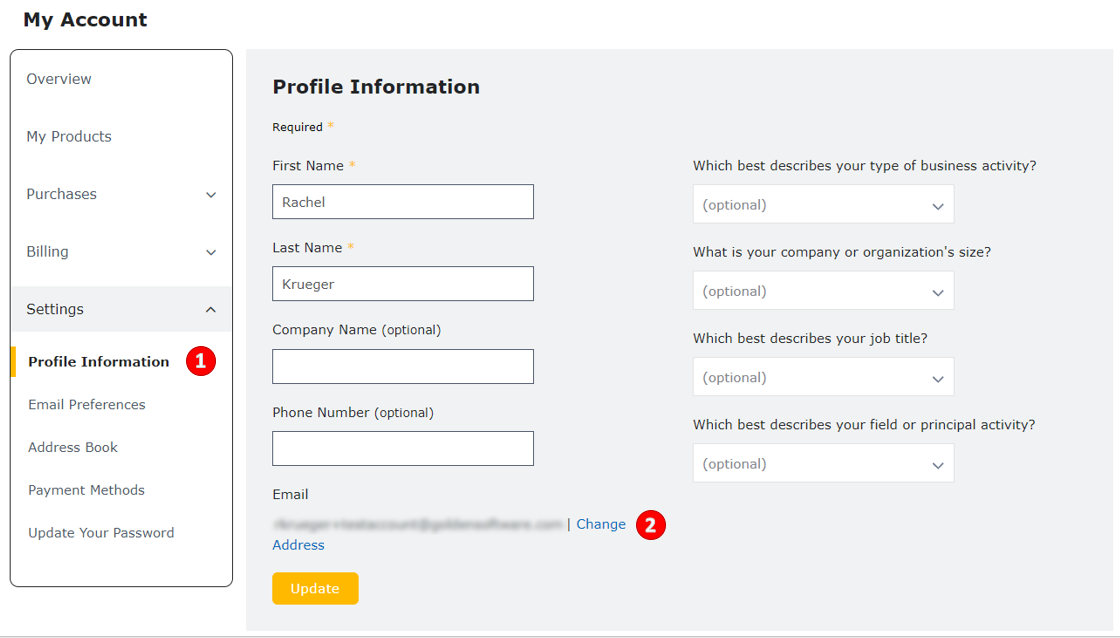
- 依次点击 Settings | Profile Information。
- 点击 Change Email Address 链接。
- 在弹出的 Change Email Address 对话框中,输入新邮箱地址与当前密码。
- 点击 Send Verification Email。
- 窗口顶部出现绿色横幅 "A confirmation email has been sent to your new email address";旧邮箱也会收到一封变更提醒邮件。
- 在新邮箱中查收来自 Shop Golden Software 的邮件。
- 点击邮件中的确认链接(48 小时内有效),旧邮箱会同步收到变更提醒邮件。
- 确认链接会跳转到登录页,使用新邮箱地址即可登录。